Dictation for Mac and Windows
Any app.
Any language.
Press ⌥Space, say it however it comes out, and clean text lands wherever you’re typing. In your language, or translated into another.
Free to try · No card · Mac & Windows
Whatever you’d type, say it.
Mail, Slack, Messages, a review box, a search field. If it takes text, it takes your voice.
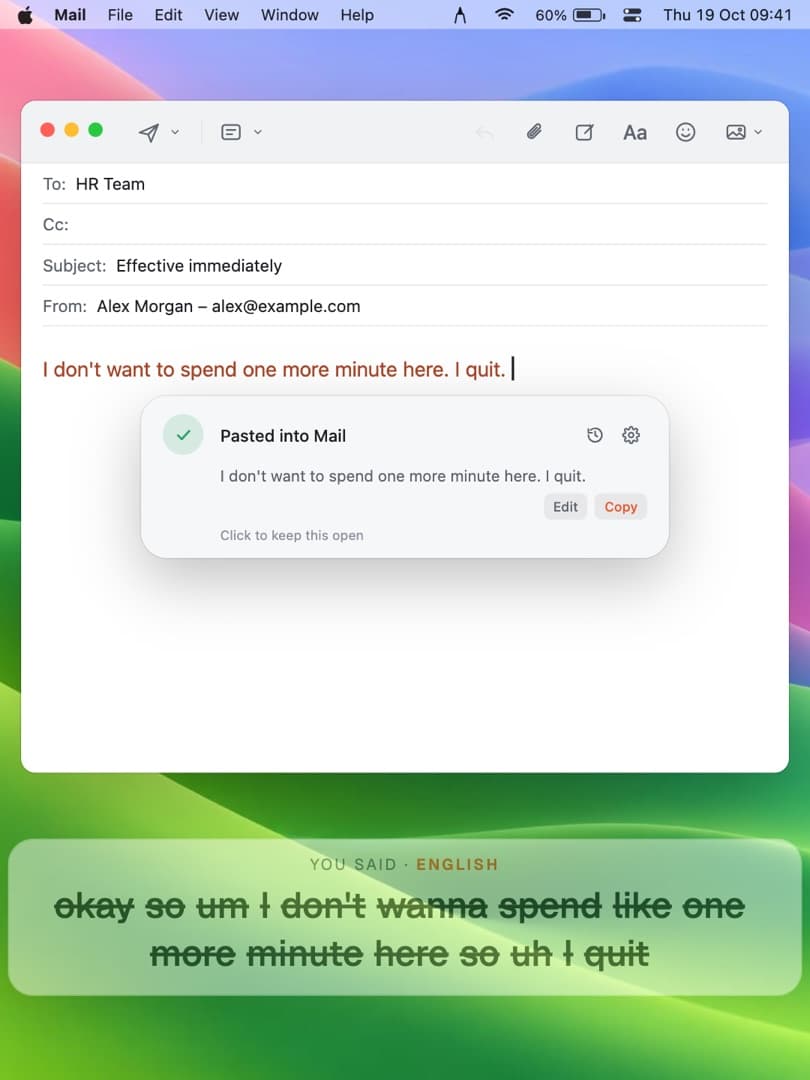
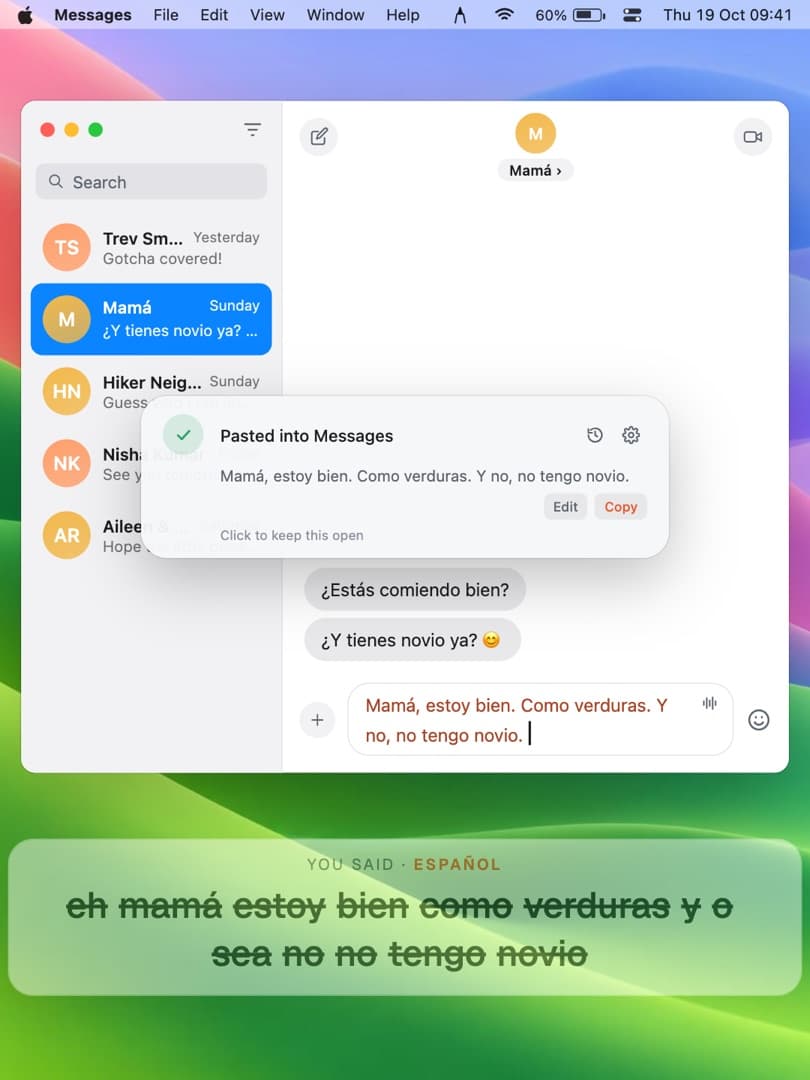
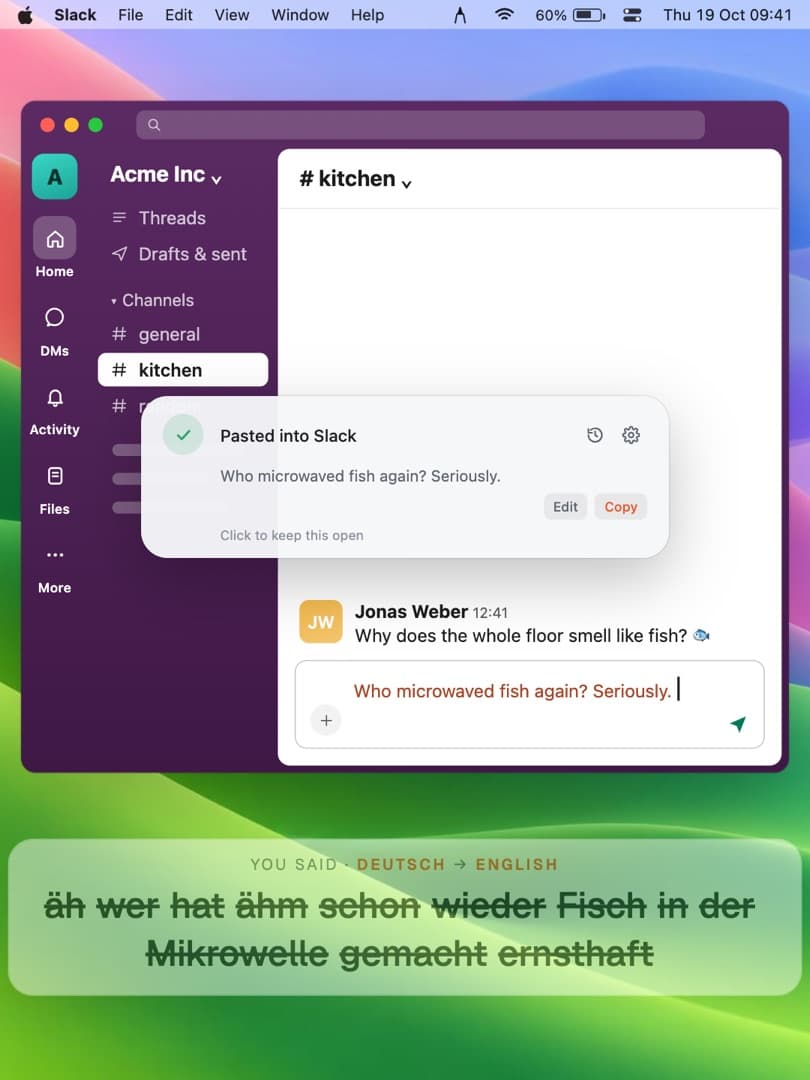
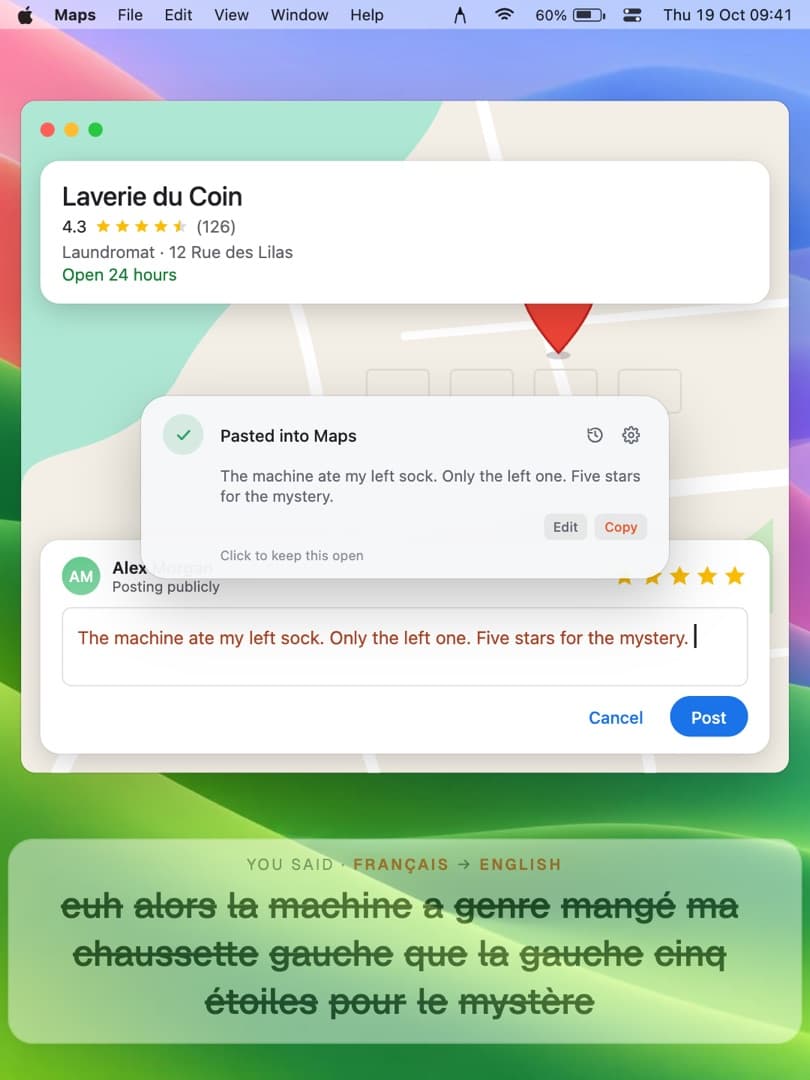
One shortcut. Then just talk.
- 1
Press ⌥Space
In any app, wherever the cursor is. A small panel opens and listens.
- 2
Talk messy
Ums, restarts, half sentences, in whatever language you think in.
- 3
Clean text lands
Tidied, punctuated, in your language or translated, right where you were typing.
And with text selected
Select text. Talk to it.
The same shortcut, pressed over a selection, opens Read, Edit, Translate and Context.
Edit by voice
Say how it should read.
Select a rambling paragraph, press ⌥Space, choose Edit and say “make it shorter and more confident”. The rewrite replaces your selection, in place.
Translate in place
Write in one language. Send in another.
Select what you wrote and choose Translate, or press ⌥⇧Space. It is replaced with the translation, or copied when the field is read-only.
Read aloud
Listen instead of reading.
Select any text and press ⌥Space twice. A natural voice starts within a second; change the speed or stop whenever you like.
Your voice passes through. It never stays.
Audio and text are processed in seconds and never stored on our servers. Recordings stay on your computer, in your History, for as long as you want them.
NibVoice is a dictation app for Mac and Windows that turns messy speech into clean, punctuated text in any app, in the language you spoke or translated into another, without storing your audio or text on its servers.
$99 once, with your own key
Bring an OpenAI, Groq or OpenRouter key and pay the provider directly. No subscription.
Lifetime license →Questions, answered.
What is NibVoice?
NibVoice is a dictation app for Mac and Windows that turns messy speech into clean, punctuated text in any app, in the language you spoke or translated into another, without storing your audio or text on its servers. You press ⌥Space, talk the way it comes out, and the tidied text is pasted where you were typing.
Does it work in every app?
Yes. NibVoice types into whatever has the cursor: Mail, Slack, Messages, browsers, code editors, Notion, Google Docs, a search box. It is not a plugin for one app; it pastes at the system level.
Which languages can I dictate in?
Any language the speech models understand, which covers English, Spanish, German, French, Portuguese, Italian, Turkish, Dutch, Polish, Japanese, Korean, Chinese, Arabic, Hindi and dozens more. You can also speak one language and have the text land in another.
Is my voice stored anywhere?
No. Audio and text pass through the server to the speech and language models and are never stored there. Recordings stay on your computer, in the app's History, and you can delete them whenever you like.
How is it different from the built-in macOS dictation?
Built-in dictation writes down what you said, fillers included, and leaves punctuation to you. NibVoice rewrites the ramble into the sentence you meant, adds punctuation and paragraphs, can translate on the way, and can edit or read aloud any text you select.
How much does it cost?
Free to start with 30 minutes of dictation and no card. Starter is $9.99 a month for 8 hours, Pro is $19.99 a month for 25 hours, and yearly billing is cheaper. There is also a $99 lifetime license that runs on your own OpenAI, Groq or OpenRouter key.
Does it run on Windows?
Yes, NibVoice is available for macOS 14 or later and for Windows 10 or later. Both are direct downloads from nibvoice.com and update themselves.
Do I need an account?
You sign in with a Google account in your browser to get the free minutes; the app never sees a password. The sign-in links your Mac or PC to the account so your minutes follow you.
Talk messy. Get clean text.
Any app. Any language.
Download freeFree to try · No card · Mac & Windows